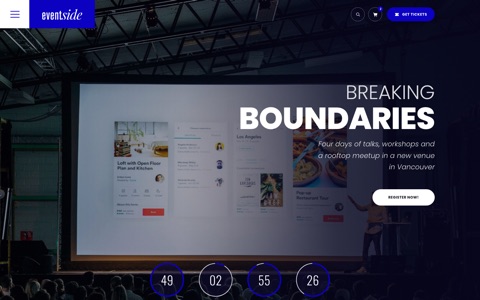
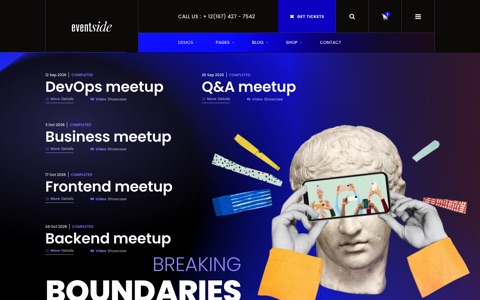
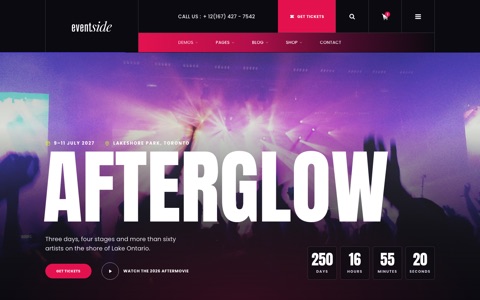
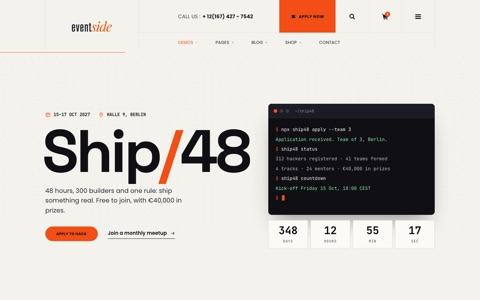
Everything you need to make the template yours: where the files live, how to change colours, dates, speakers and menus, and how every page and component works. No build step: open a file, change it, reload.
Thank you for choosing Eventside – a modern event, conference & meetup HTML5 template. It contains 6 home demos, 31 inner pages (including a tickets page with a group price calculator), a live style switcher, 5 header styles, 4 footer styles, 3 mobile menu skins and a fully working front-end shop (cart, wishlist, checkout).
Pure HTML5 / CSS3 / vanilla JavaScript – no jQuery, no frameworks, no build step required.
Design tokens with CSS custom properties – change the whole color scheme in one place.
Inline SVG icon set (no icon font requests).
Style switcher on the main home: try colours, fonts, corners, headers, footers and a boxed layout live, and browse every home demo in a full-screen gallery. The inner pages carry the colour, font, corner and motion choices over.
Inner page kit: five page hero layouts with breadcrumbs, a ticket-style closing band with a live countdown, and page-to-page transitions where the title and picture carry over.
Built-in motion system: staggered scroll reveals, image wipes, parallax heroes, page transitions, draggable sliders, magnetic buttons – all dependency-free and switched off automatically for users who prefer reduced motion (or for everyone with <html data-motion="off">).
Privacy-first map (click-to-load) and cookie consent with settings.
2File structure
eventside/
├── index.html … wishlist.html     46 ready-to-use pages
├── assets/
│   ├── css/style.css               main stylesheet – edit this one (commented, table of contents)
│   ├── css/style.min.css           minified build the pages load (perl tools/minify-css.pl)
│   ├── css/demos/                  one stylesheet per home demo (festival.css … food.css + .min.css),
│   │                               loaded only by that demo page, after style.min.css
│   ├── js/main.js                  all JavaScript (commented modules)
│   ├── js/main.min.js              minified build the pages load (perl tools/minify-js.pl)
│   ├── img/                        images (see Credits)
│   ├── video/                      background clips (home page, festival aftermovie)
│   ├── audio/                      festival artist previews (short m4a loops)
│   ├── docs/                       brochure PDF, .ics calendar file, e-mail template
│   └── switcher/                   style switcher for the demo (main home + inner pages, optional)
├── php/contact.php                 contact form mail handler
├── robots.txt, sitemap.xml         search engine files – set your domain (see SEO)
├── site.webmanifest                app name and icons for phones
├── tools/minify-css.pl             rebuilds style.min.css and css/demos/*.min.css
├── tools/minify-js.pl              rebuilds main.min.js from main.js
├── tools/build-menus.pl            rebuilds the main and mobile menus in every page from one list
├── tools/programme.pl             the conference programme: days, rooms, topics, speakers, sessions
├── tools/build-schedules.pl       writes every schedule and speaker agenda from tools/programme.pl
├── tools/build-switcher-parts.pl   rebuilds the switcher's header and footer variants
└── documentation/                  this file
3Getting started
Unzip the package and open index.html in your browser – everything works offline (except Google Fonts, the map and the video embeds).
Upload the contents of the eventside folder to your web server via FTP.
Edit texts directly in the HTML files. Each section is marked with a comment such as <!-- ===== SPEAKERS ===== -->.
Replace images in assets/img/ keeping the same file names, or update the src attributes.
4How-to recipes
Ten changes people make first. Each takes a few minutes; the sections below go deeper.
Change the brand colour
Open assets/css/style.css and find --c-primary at the top.
Set your colour, and the same colour as numbers in --c-primary-rgb (for example 12, 0, 193).
Run perl tools/minify-css.pl in the template folder, then reload. Keep white text on buttons at 4.5:1 contrast or better.
Set your event date
Search the pages for data-countdown="2026-12-20T09:00:00" and put in your start time; every countdown follows it.
Update the startDate and endDate in the application/ld+json block in the <head>.
Edit assets/docs/eventside.ics so "Add to calendar" opens your date.
Add a speaker or a session
Open tools/programme.pl. Speakers are in %SPEAKERS, sessions in @SESSIONS.
Add the entry with its day, times, room, topic and speaker keys.
Run perl tools/build-schedules.pl. Every schedule, agenda and speaker page updates.
Add a page to the menu
Copy the page you want to start from and rename it.
Add one line with the file name and label to the list at the top of tools/build-menus.pl.
Run perl tools/build-menus.pl, then perl tools/build-switcher-parts.pl.
Make the contact form send mail
Open php/contact.php and set $recipient to your address.
Upload the site to a host with PHP mail, or fill in the $smtp settings in the same file (see Forms & PHP).
Send yourself a test message from contact.html.
Swap the header or footer
Try the looks with the style switcher on the main home.
Copy the <header> or <footer> block from the example page listed under Headers or Footers.
Paste it over the one in your page.
Use another font
Replace the Google Fonts link in the <head> of each page.
Set --f-base in style.css (on demo pages, --f-display in that demo's file in assets/css/demos/).
Run perl tools/minify-css.pl.
Turn off animations or the loading screen
Add data-motion="off" to the <html> tag to stop every animation on that page.
To drop the loading screen, delete the <div class="preloader"> block and the small script after it.
Visitors who ask their system for reduced motion get the calm version automatically.
Remove the style switcher
On index.html, delete the three switcher lines in the <head>.
On the inner pages, delete the switcher stylesheet and script lines.
Delete the assets/switcher/ folder.
Go live
Put your domain into robots.txt, sitemap.xml and the og:image tags.
Replace the demo photos (see assets/img/CREDITS.txt) and the texts.
Upload everything except tools/ and documentation/.
5Pages
Fifteen home demos and 31 inner pages. Each demo has its own colours and type; the inner pages share the main look and take the colour of the demo a visitor came from.
Music festival home: lineup, timetable, tickets and site map
Boxed dark / Footer B dark
index-4.html
Hackathon / tech meetup home: tracks, 48-hour schedule, mentors, meetups and an application form
Boxed light / Footer B dark
index-5.html
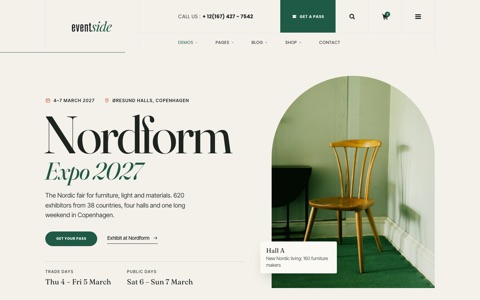
Design expo / trade fair home: floor plan, exhibitor directory with search and a visit plan, talks, passes and a stand price calculator
Boxed light / Footer B dark
index-6.html
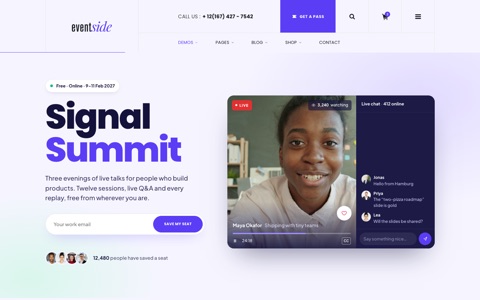
Webinar / online summit home: live player mock-up with chat and reactions, poll, local-time agenda with a personal agenda, replays and passes
Boxed light / Footer B dark
index-7.html
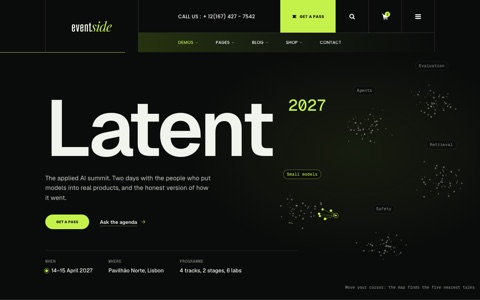
AI summit home: a latent-space map in the hero (data-latent), an agenda you can ask in plain words (data-ask), expanding track panels (data-panels), speakers, venue, passes and a countdown
Boxed dark / Footer B dark
index-8.html
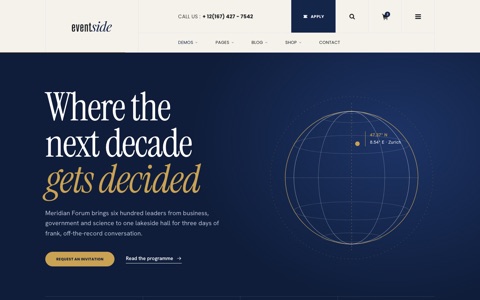
Business forum home: a turning meridian globe, programme day tabs, speakers with a photo that follows the cursor, delegate matchmaking by interest (data-match), ways to attend and an application form that the "Apply" links pre-fill (data-invite-type)
Boxed light / Footer B dark
index-9.html
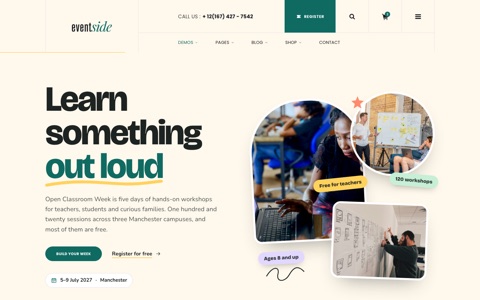
Education event home: a photo collage with stickers, a subjects strip, a week planner that saves the chosen workshops and marks overlaps (data-planner), mentors, a tram-line campus switcher, tickets and a registration form
Boxed light / Footer B dark
index-10.html
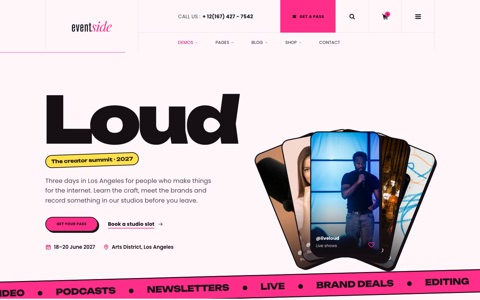
Creators summit home: fanned reels, a drag slider of sessions, creators with story rings, bookable studio slots (data-slots), passes and a countdown
Boxed light / Footer B dark
index-11.html
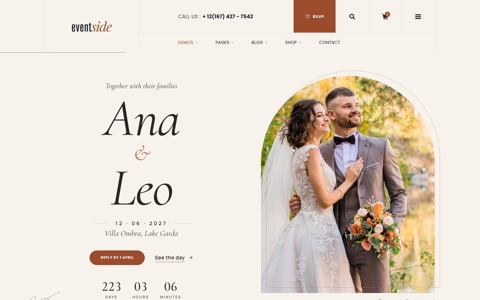
Wedding home: an RSVP that finds the guest’s invitation by name and asks each seat for a reply and a meal (data-rsvp), the day hour by hour with a moving sun (data-dayflow), travel and stay, dress code, a gift list and a calendar file
Boxed light / Footer B dark
index-12.html
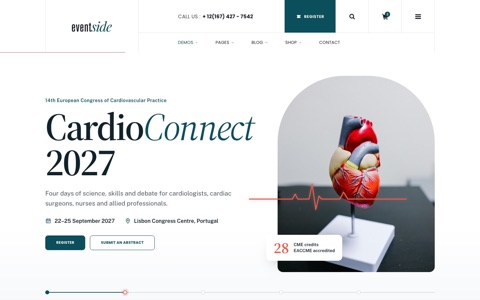
Medical congress home: a scientific programme with day tabs and topic filters, faculty, CME credits, a three-step abstract form with a word counter (data-steps), a poster search and registration fees
Boxed light / Footer B dark
index-13.html
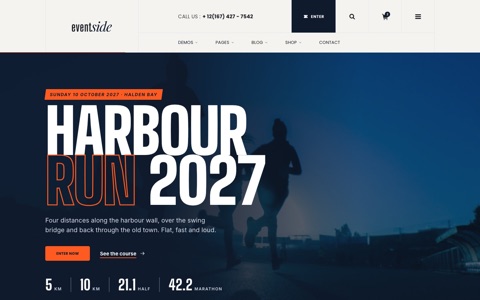
Marathon home: four distances, a course map that draws the chosen route with its elevation profile (data-course), a pace calculator with start wave and splits (data-pace), searchable results and training plans
Boxed light / Footer B dark
index-14.html
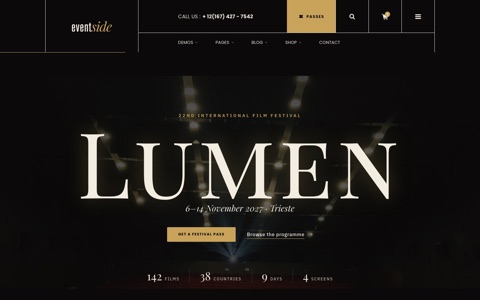
Film festival home: letterbox hero, opening film with trailer, a programme planner that saves screenings and warns about overlaps (data-screenings), competition, jury and awards, passes and venues
Boxed, dark colours / Footer B dark
index-15.html
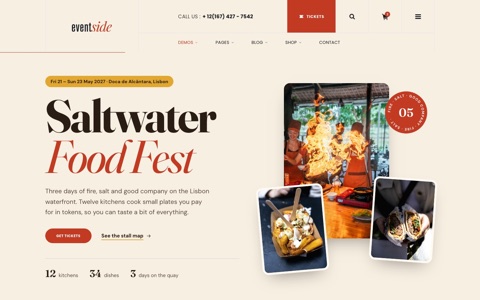
Food festival home: a stall map with diet filters and menus (data-stall-map), a tasting card that works out the cheapest token packs (data-tasting), demo stage, workshops with places left, tickets, visit info and a vendor form
Event pages, each with its own page hero layout (see Inner page kit)
Off-canvas / Footer A
speaker.html
Speaker single: split hero with the portrait and an "up next" card with countdown, biography with an at-a-glance card, the speaker's sessions with "My agenda" hearts, a talk preview and more speakers. Linked from the featured speaker on the main home and from the speaker's biography drawer.
Off-canvas (dark) / Footer A
sponsors.html
Sponsors: split hero with a "packages close in" countdown, the audience in two small charts, partners by tier, four packages with what is left, a benefits comparison table, single moments to sponsor, a partner quote, a request form (sends company and package to php/contact.php) and a sponsor FAQ. Linked from the sponsors section on the main home.
Off-canvas (dark) / Footer A
faq.html
FAQ: a hero with a search field, a sticky topic list that marks the topic in view, questions in topic groups and a contact panel. The search (data-faq in main.js) hides questions that do not match, marks the words, opens up to six answers and updates the topic counts. Press / to search; faq.html?q=visa opens with a search and faq.html#q-refund opens one answer. The page also carries FAQPage structured data; keep it in step when you edit the questions.
Off-canvas (dark) / Footer A
pricing.html
Pricing: membership plans (Free, Member, Pro) with a monthly / annual switch, a comparison table in groups whose prices follow the same switch, a team price calculator, student and non-profit offers and a membership FAQ. Use it for any subscription; for event passes use tickets.html.
Off-canvas (dark) / Footer A
widgets.html
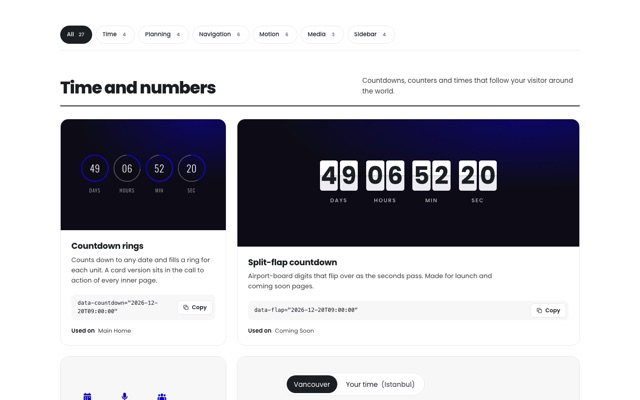
Widgets: 27 live widgets in six groups (time and numbers, tickets and planning, navigation and forms, motion and type, photos and video, sidebar). Each card shows the widget working, the attribute to copy and the pages that use it; chips and a search field filter the cards (data-filter-group, data-search-list). A list at the end links the bigger pieces built into the demos.
Off-canvas (dark) / Footer A
schedules-2.html
Schedule as a timetable: day tabs, the four rooms side by side with a row for every 15 minutes, a lunch band, topic filter chips that dim the other sessions and "My agenda" hearts. Below 1200px the grid scrolls sideways; on phones it becomes a list in time order.
Off-canvas (dark) / Footer A
schedules-3.html
Schedule as one full list: search, topic chips, day links, sticky day headings, an "About this session" summary for each session and hearts. Speaker agendas link to each session here (schedules-3.html#s-d1-0930).
Off-canvas (dark) / Footer A
speakers-2.html
Speakers as an index: names in large type with a photo that follows the cursor (data-hover-reveal), topic chips, the session count and the biography drawer. On touch screens each row shows a small portrait instead.
Off-canvas (dark) / Footer A
speakers-3.html
Speakers as a spotlight: a vertical list of names (tabs; arrow keys move up and down) and one large panel with the portrait, biography, topics and sessions. On tablets and phones the names become a row of portraits.
Off-canvas (dark) / Footer A
tickets.html
Tickets: four passes with a currency switch and add to cart, a comparison table, a group price calculator, discount codes and a FAQ
Stage pages: a 404 ticket for a seat that does not exist, with search and quick links; coming soon with a split-flap countdown, notify form and line-up teaser
Transparent on shop.html, Minimal on the others / Shop footer
terms.html, privacy-policy.html
Legal pages + cookie settings
Boxed light / Footer A
Programme and schedules
Every schedule in the template comes from one file, tools/programme.pl: the four days, the rooms, the topics with their colours, the speakers and all 24 sessions with a time, room, topic, type and summary. Change it, then run perl tools/build-schedules.pl from the template folder. That rewrites the day tabs on schedules.html, the main home (sessions marked hl) and event-detail.html, the timetable and the full list, and the agenda in each speaker biography on the main home and speakers.html, plus the speaker index and spotlight pages. Speakers carry their portrait and biography in the same file, so every speaker page tells the same story. The three schedule pages and the three speaker pages each link to each other with the layout switch at the top (.sc-views). Session avatars are 184×184 images in assets/img/avatars/, named after the speaker key.
6Headers & menus
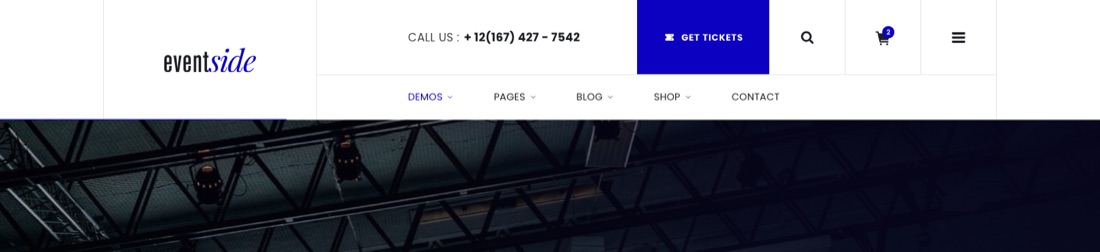
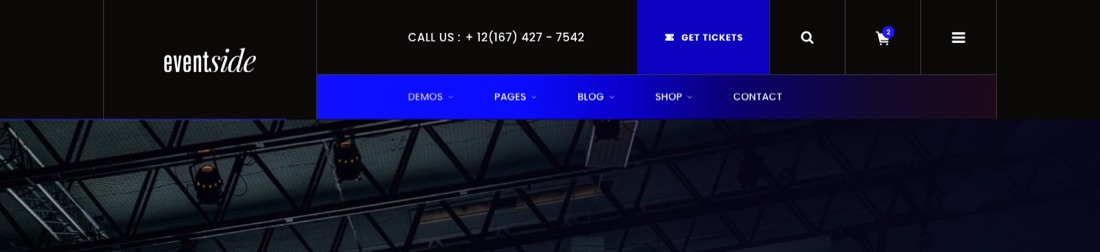
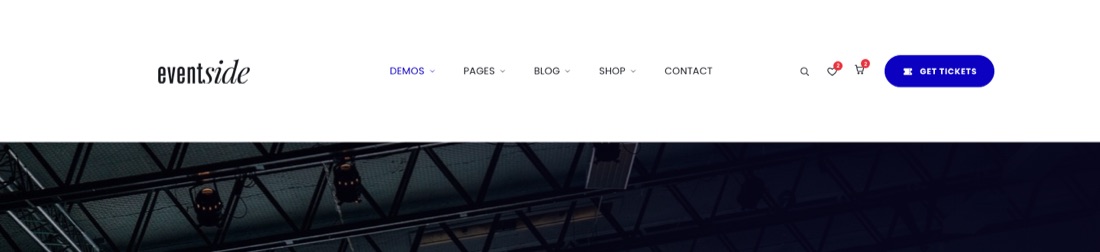
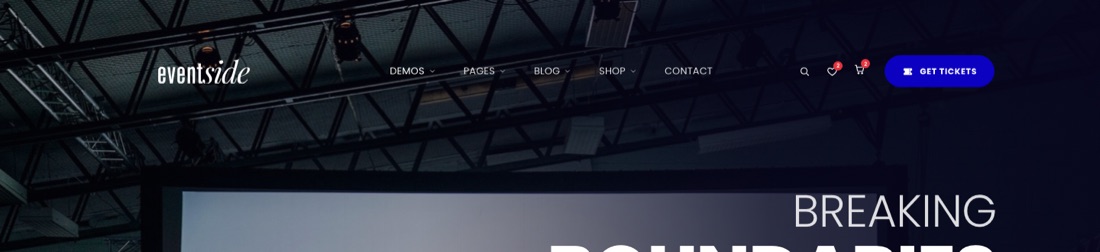
Five desktop headers are included, and the style switcher lets you try each one on the main home. Copy the <header> block from a page that uses it:
Header
Class
Example
Off-canvas
.header-oc (+ .header-oc--dark on light heroes)
index.html, about.html
Classic
.header-boxed
event-detail.html
Classic dark
.header-boxed .header-boxed--dark
index-2.html, event-single.html
Minimal
.header-min .header-min--white
cart.html
Transparent
.header-min .site-header--overlay (sits on the hero)
shop.html
Off-canvas – the logo, icons and a menu button that opens the full menuClassic – a contact bar above the menuClassic dark – the same on blackMinimal – one light rowTransparent – white on the hero picture
Below 1200 px every page automatically switches to the compact .mobile-header. The off-canvas panel (#site-menu) is shared by the desktop off-canvas header and the mobile menu.
Off-canvas menu
On desktop the panel has two panes: the big menu items on the left and a stage on the right. The stage shows an event card (photo, date, live countdown, ticket button and calendar link); pointing at Demos, Pages, Blog or Shop shows that group's links there instead, with the demos as thumbnails. Below 1200 px the groups open as an accordion and the event card sits under the menu. Tab stays inside the open panel and Esc closes it.
The card on each demo home shows that demo's event, and every other page shows the main conference. Change the card texts, dates and photos in the %CARD list in tools/build-menus.pl; the button copies the page's own header ticket link. The small number next to each group is its page count, and the short line above each group's links is its note.
Off-canvas colours
Change the modifier class on <div class="offcanvas …" id="site-menu">:
offcanvas--blue – blue (Mobile menu 03)
offcanvas--light – light grey (Mobile menu 02)
offcanvas--gradient – dark gradient (Mobile menu 01)
Add offcanvas--full to let the panel cover the header on desktop, with its own close button.
Add is-open is-initial to show the panel open on load (desktop only), as on the main home.
Sticky header
Any header with the data-sticky-header attribute becomes sticky after scrolling past it. Remove the attribute to disable.
Menus
Every page has the same main menu (Demos, Pages, Blog, Shop, Contact) and the same mobile menu. Both are written into the pages by tools/build-menus.pl from one list at the top of that file: add, rename or move a page there, then run perl tools/build-menus.pl from the template folder. It marks the current page in each file and leaves out pages that don't exist. Run perl tools/build-switcher-parts.pl afterwards so the style switcher's headers match. You can also edit the menus by hand in each page.
Dropdown styles
Each top-level entry in the list can pick how its dropdown looks with the style key:
Style
Looks like
Used for
(none)
A plain list, or link columns with small headings when the entry has groups
Blog, Shop
cards
Image cards in three columns; give each item a thumbnail as its third value (480 × 300 px)
Demos
promo
Link columns plus an event card with a photo and a ticket link, set in %PROMO
Pages
Wide dropdowns are centred under their menu item. All of them open with a curtain effect and the links follow one after another.
7Footers
Four footers are included. Each is one <footer class="site-footer …"> block; copy it from the page that uses it.
Footer
Class
Example
Columns
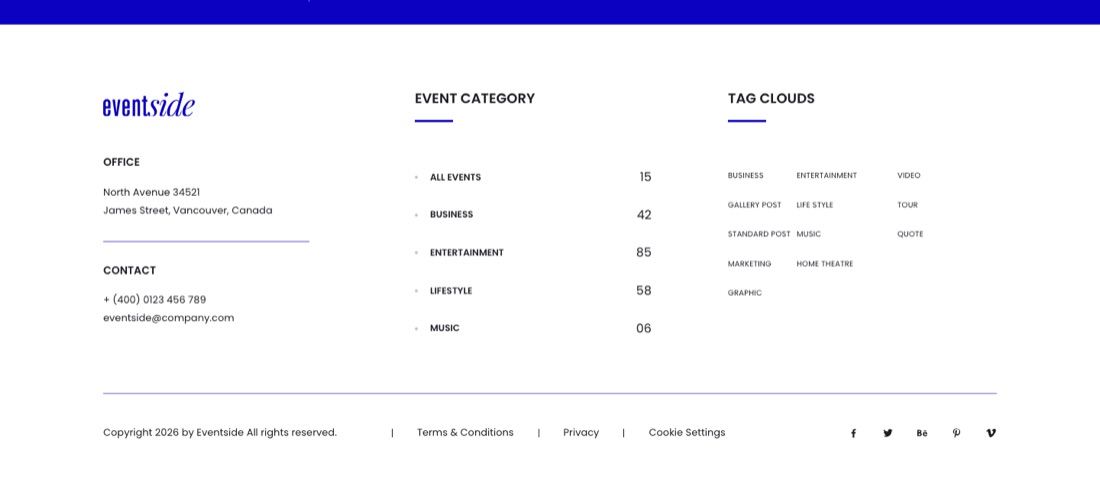
.footer-a: office and contact, event categories, a tag cloud
index.html, about.html
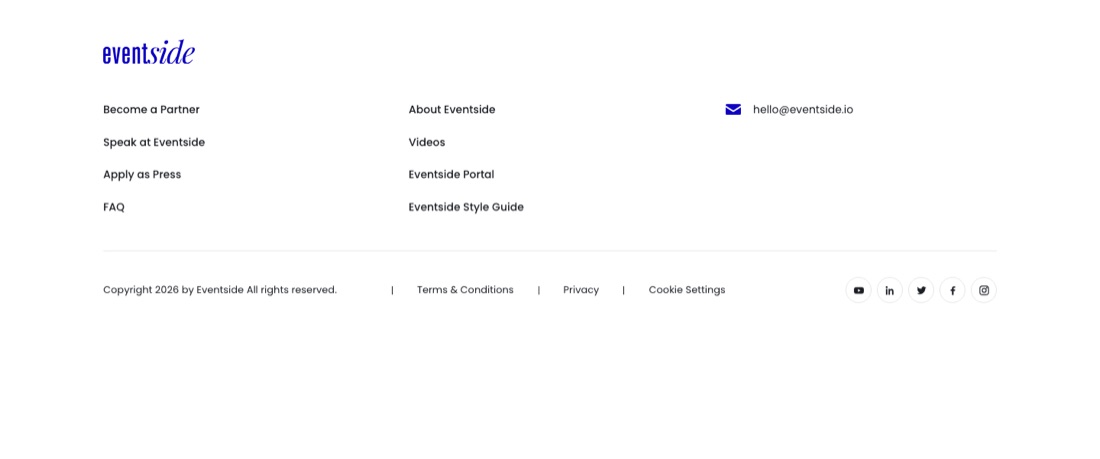
Links
.footer-b: link columns, e-mail and outline social icons
event-detail.html
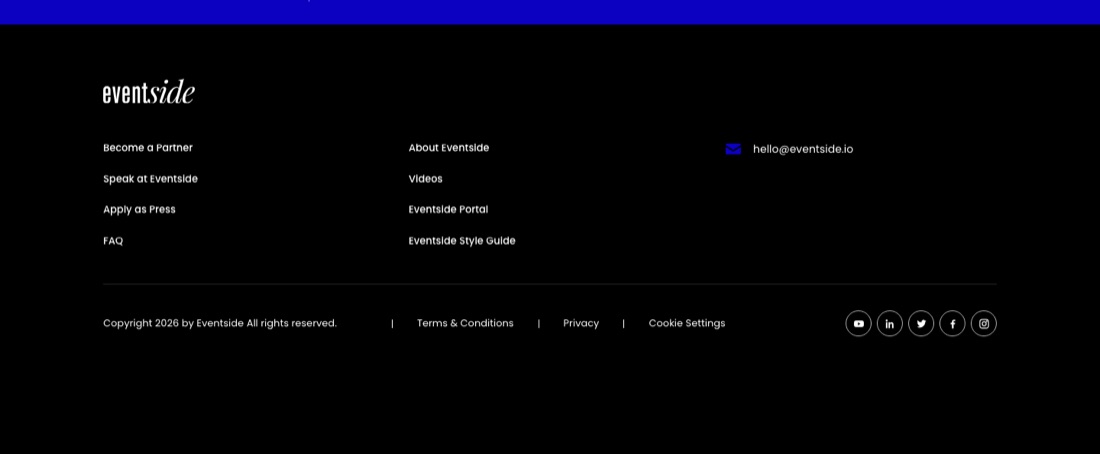
Links dark
.footer-b .site-footer--dark
index-2.html
Compact
.footer-shop: a short row with payment marks
shop.html
ColumnsLinksLinks darkCompact
Add site-footer--dark to any footer for the dark version. The copyright year updates automatically (data-year).
8Colors & fonts
All colors are CSS variables at the top of assets/css/style.css. The pages load the minified copy, so after any change run perl tools/minify-css.pl from the template folder (Perl comes with macOS and Linux).
Section spacing and section titles come from a few variables, so one change keeps every page in rhythm. --section-py is the top and bottom space of every .section; it steps down on smaller screens (120 → 110 → 90 → 80 → 70px). Titles and lead texts scale smoothly between phone and desktop.
Fonts are loaded from Google Fonts in the <head> of each page (Poppins, Roboto, Oswald, Nunito, Playfair Display; the festival demo adds Anton, the hackathon demo Space Grotesk and JetBrains Mono, the expo demo Fraunces and Inter Tight, the webinar demo Plus Jakarta Sans, the AI summit Geist and Geist Mono, the business forum Instrument Serif and Hanken Grotesk, the education demo Bricolage Grotesque, the creators demo Unbounded, the wedding Cormorant Garamond and Manrope, the medical congress Source Serif 4 and Public Sans, the marathon Big Shoulders Display and Inter, the film festival Playfair Display SC and IBM Plex Sans, the food festival Fraunces and DM Sans). To self-host, download them from fonts.google.com and replace the <link> with your own @font-face rules.
Demo themes
Each demo sets its own colors and fonts with one attribute on the <html> tag. The festival demo uses <html lang="en" data-demo="festival"> the hackathon demo data-demo="tech", the expo demo data-demo="expo", the webinar demo data-demo="webinar", then data-demo="ai", "business", "education", "creators", "wedding", "medical", "marathon", "film" and "food" Each demo has its own stylesheet in assets/css/demos/ (festival.css, tech.css … food.css), and only that demo page loads it, after the main one: <link rel="stylesheet" href="assets/css/demos/festival.min.css">. The values sit at the top of each file:
[data-demo="festival"] {
  --c-primary: #e3124f;      /* hot pink: buttons, links, accents */
  --c-accent: #c6ff1e;       /* lime: badges and highlights */
  --f-display: "Anton", …;   /* poster headings */
  --fest-bg: #0b0a10;        /* page background */
}

[data-demo="tech"] {
  --c-primary: #f24e15;      /* signal orange: buttons, highlights */
  --f-display: "Space Grotesk", …;
  --f-mono: "JetBrains Mono", …;   /* labels, times, terminal */
  --tech-bg: #f3f2ec;        /* paper background */
  --tech-ink: #101014;       /* text and dark bands */
}

[data-demo="expo"] {
  --c-primary: #1f5a46;      /* forest green: buttons, links */
  --c-accent: #c8643b;       /* terracotta: italic accents */
  --f-display: "Fraunces", …;
  --f-ui: "Inter Tight", …;  /* body text on the page */
  --expo-bg: #f4f1ea;        /* warm white background */
}

[data-demo="webinar"] {
  --c-primary: #5b3df5;      /* violet: buttons, links, active tabs */
  --c-accent: #12b886;       /* mint: live states and checks */
  --f-display: "Plus Jakarta Sans", …;
  --web-bg: #f6f5ff;         /* lavender white background */
  --web-ink: #14123a;        /* headings, player and dark bands */
}
[data-demo="ai"] {
  --c-primary: #c5f24a;      /* lime: buttons (with dark text), highlights */
  --f-display: "Geist", …;
  --f-mono: "Geist Mono", …; /* labels and times */
  --ai-bg: #0a0c0b;          /* near-black background */
  --ai-ink: #f1f4ec;         /* headings */
}

[data-demo="business"] {
  --c-primary: #14254a;      /* navy: buttons, active tabs */
  --c-accent: #c9a253;       /* brass: accents on navy */
  --f-display: "Instrument Serif", …;
  --biz-sans: "Hanken Grotesk", …; /* body text on the page */
  --biz-bg: #f5f2ea;         /* ivory background */
}

[data-demo="education"] {
  --c-primary: #0f6b62;      /* teal: buttons, links */
  --c-accent: #ffc53d;       /* sunflower: underlines, stickers */
  --f-display: "Bricolage Grotesque", …;
  --edu-sans: "Nunito", …;   /* body text on the page */
  --edu-bg: #fff8ec;         /* cream background */
}

[data-demo="creators"] {
  --c-primary: #ff2e88;      /* hot pink: buttons (with ink text), tape */
  --c-accent: #ffe14a;       /* yellow: highlights */
  --f-display: "Unbounded", …;
  --cr-ink: #161015;         /* borders, shadows and dark bands */
  --cr-bg: #fff6fa;          /* pink-white background */
}
To give another page the festival look, add the attribute, link assets/css/demos/festival.min.css after style.min.css and add family=Anton to its Google Fonts link. The same goes for a section you copy out of a demo: the page needs that demo's stylesheet. To make your own theme, copy a demo file (for example to demos/summit.css), rename the block to data-demo="summit", change the values and run perl tools/minify-css.pl.
Dark mode
The main home and all inner pages have a dark version; the fifteen home demos keep their own palettes. Visitors switch it in the style switcher (Style tab: Light, Dark or Auto, which follows the system setting); the choice is saved in the browser and applied before the page paints, so there is no flash. To make dark the default for everyone, add the attribute yourself:
<html lang="en" data-theme="dark">
The dark colours are tokens in section 25 of style.css. Change them there and every part follows:
html[data-theme="dark"]:not([data-demo]) {
  --c-bg: #0d0f12;        /* page background */
  --c-surface: #14171c;   /* cards, panels, menus */
  --c-heading: #eef0f3;   /* headings */
  --c-text: #a6abb6;      /* body text */
  --c-primary: #6d66ff;   /* a lighter brand colour that reads on dark */
}
Demo homes that set data-demo keep their own colours in both modes.
9Style switcher
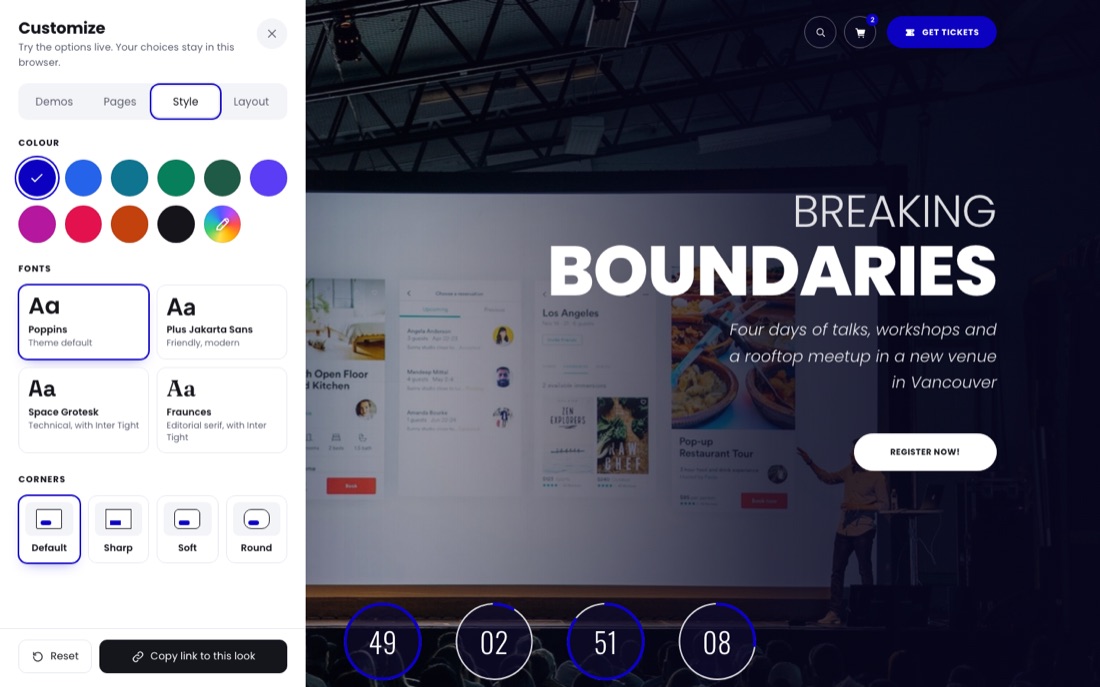
The main home (index.html) has a "Customize" panel on the left edge. Visitors can try light or dark mode, the colour, fonts, corners, header, footer, page width and animations live, and browse the fifteen home demos. Choices last for the visit (sessionStorage), so every new visit starts from the designed look, and the panel can copy a link to the current look.
The panel has four tabs: Demos, Pages (every inner page, one click away), Style and Layout. Inner pages show the first three.
It is loaded by three lines in the <head> of index.html. To ship the site without it, delete these lines and the assets/switcher/ folder; nothing else depends on them.
The panel, the options and the demo gallery. Colour presets, fonts and the demo list are at the top of the file.
switcher.css
Panel styles, plus the rules for the corner styles, the boxed page and the fonts.
switcher-parts.js
The header and footer variants. It is generated from the pages that use them: after changing a header or footer, run perl tools/build-switcher-parts.pl from the template folder.
demos/*.jpg
Full-page screenshots of the home demos used in the gallery.
Links can preset any option, which is handy for screenshots: index.html?color=forest&font=editorial&radius=round&header=boxed-dark&footer=b-dark&layout=boxed. Values: color = indigo, royal, teal, emerald, forest, violet, magenta, rose, orange, ink or a hex code without #; font = poppins, jakarta, grotesk, editorial; radius = default, sharp, soft, round; header = offcanvas, boxed-light, boxed-dark, minimal, overlay; sticky = on, off; footer = a, b-light, b-dark, compact; layout = wide, boxed; motion = on, off.
The inner pages load a lighter version with two of the three lines: <script src="assets/switcher/switcher.js" data-scope="style"></script> and the stylesheet. There the panel has the Demos and Style tabs (colour, fonts, corners, animations), and the choices made on the main home carry over. Header, footer and page width stay as each page was built. A visitor who arrives from the festival, hackathon, expo or webinar demo sees the inner pages in that demo's colour for the rest of the visit, so the preview stays in one look; picking a colour in the panel ends it. This is part of the switcher only: on your site the colour comes from --c-primary.
The panel only previews the options. To keep a look for your own site, copy the matching header and footer markup from the pages listed under Headers and Footers and set the colour and fonts as described in Colors & fonts. Any page can turn animations off with <html lang="en" data-motion="off">.
10Inner page kit
Page hero
The inner pages open with <section class="ph ph--…">. All four layouts share the same parts: a breadcrumb (.ph__crumbs), the title (.ph__title, one .ph__line per line so each rises on its own), a lead, info chips (.ph__meta) and buttons (.ph__actions). Copy the section from the page that uses the layout you want:
Layout
Looks like
Example
.ph--split
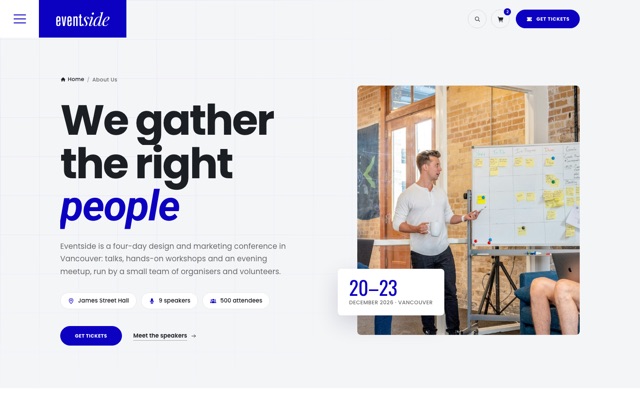
Light, text beside a photo that opens from its centre, with a date badge. Pair it with header-oc--dark on the header so the icons stay dark.
about.html
.ph--mosaic
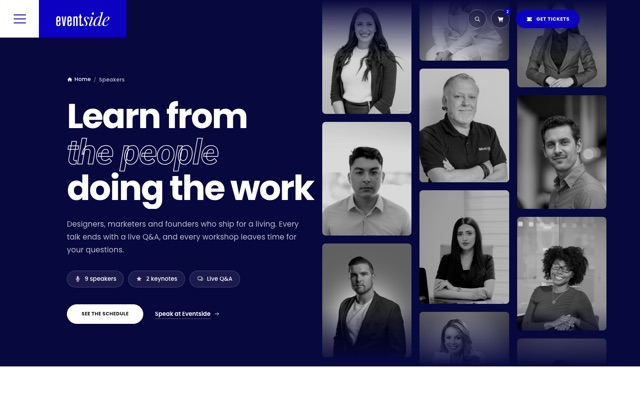
Dark, three columns of faces drifting past (.ph__reel); they pause on hover and stop for reduced motion.
speakers.html
.ph--type
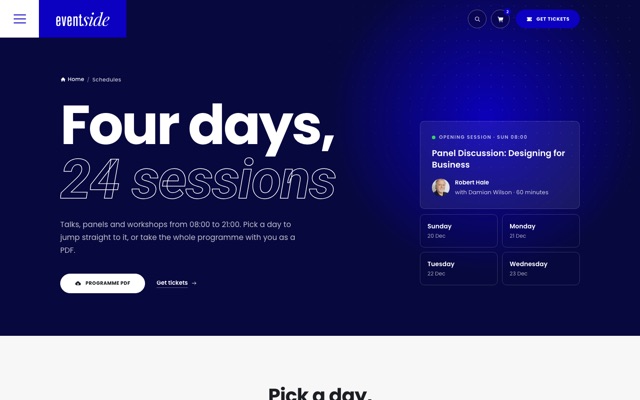
Dark, type-led, with a dot grid and a slow glow; room on the right for a card (.ph__aside).
schedules.html, articles-grid.html, tickets.html
.ph--photo
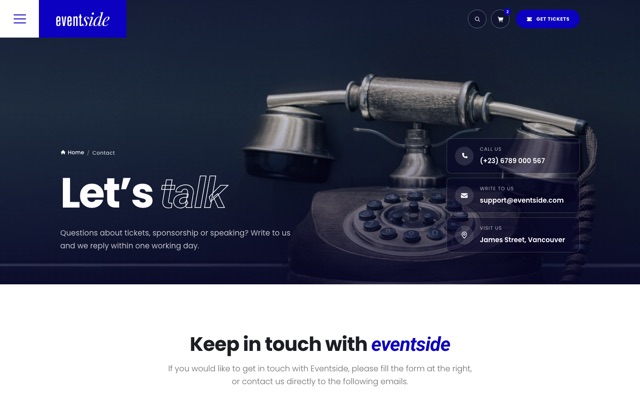
Full photo with the text at the foot and contact cards on the right.
contact.html
.ph--compact
A light band for pages where the content should start within the first screen. On the right: order steps (<ol class="ph-steps">, the current step has aria-current="step", finished ones is-done), chips or a link.
The product page only has a breadcrumb bar (<nav class="crumbbar">) so the product starts at the top; its name is the page's <h1>.
Sidebar widgets
Article and event sidebars (<aside class="sidebar">) are a list of .widget blocks with a .widget__title: search, categories, latest posts, newsletter, tags, socials, speakers and event info. Two more are built for reading:
Widget
Markup
On this page
<ol class="widget-toc" data-toc></ol> fills itself from the h2 and h3 headings of the element with data-toc-source (the article) and marks the section being read.
Ticket card
.widget-ticket: a label, a title, the countdown (.cta2__count with data-countdown), a button and an Add to calendar link to assets/docs/eventside.ics.
Sticky pair
Wrap the last widgets in <div class="widget-stick"> and they follow the reader once the others have scrolled away (desktop only).
Articles also get a reading progress bar: <div class="read-progress" aria-hidden="true"></div> inside .post-sec. It runs on CSS scroll timelines where supported and on a small script elsewhere.
The dark layouts draw the accent word as an outline, so they work with any brand colour. On Schedules, the day buttons use data-tab-jump="day-tab-2": a click opens that tab and scrolls to it. Any button can do the same for any tab set.
Ticket band
The closing band on the inner pages is <section class="cta2">: a ticket in the brand colour with a tear-off stub, a live countdown (data-countdown) and a barcode. Add cta2--ink for the dark version (tickets.html uses it).
Tickets page
Part
Markup
Prices
Any element with data-price="399" (a USD amount) is redrawn when the visitor picks another currency in [data-currency-switch] (buttons with data-cur="USD|EUR|GBP"). The exchange rates are examples at the top of initTickets() in main.js; checkout always charges the shop currency.
Passes
.tk-pass cards (add tk-pass--featured for the highlighted one). The buy row uses the theme's quantity stepper and data-add-to-cart="tk-full" data-qty-from="#qty-full"; the passes are in PRODUCTS as tk-day, tk-full, tk-vip and tk-team. The seats bar fills to style="--sold: .79".
Comparison
A plain <table class="tk-table">; the column under the pointer lights up with CSS alone, and the first column stays put when the table scrolls sideways on phones.
Group calculator
data-ticket-calc with radio inputs (value = price per person), a range input for the group size and [data-calc-n] [data-calc-per] [data-calc-save] [data-calc-total]. Discounts: 5+ people 10%, 10+ 15%, 20+ 20% (discount() in initTickets()); the matching [data-tier] row lights up.
Discount codes
<form data-promo> checks a code against the demo list in initTickets() and answers in [data-promo-msg]. A real shop checks codes on the server.
Page transitions
Between pages, the title (#page-title), the breadcrumb and the hero picture carry over to the next page where browsers support cross-document View Transitions. A page reached this way skips its own title entrance.
11Icons & logo
Icons are original SVG symbols embedded at the top of every page. Use any icon like this:
The logo is the #logo symbol: <svg class="logo"><use href="#logo"></use></svg>. Variants: logo--white, logo--blue. Colors can be set per part with --logo-a / --logo-b. To use your own logo, replace the <svg class="logo"…> with an <img>.
12Components (data attributes)
Open widgets.html to see 27 of these working side by side, each with the attribute to copy and the pages that use it.
widgets.html – every example is live; the Copy button copies its attribute.
Component
Markup
Countdown
data-countdown="2026-12-20T09:00:00" with children [data-days] [data-hours] [data-minutes] [data-seconds]. If the date has passed a rolling demo date is used.
Split-flap countdown
<div class="flap" data-flap="2026-12-31T00:00:00"> builds flip cards for days, hours, minutes and seconds (coming soon page). Four <small> labels inside are reused, so they can be translated.
Stage
<section class="stage" data-stage>: a dark section in the brand colour whose spotlight follows the pointer; an element with data-stage-tilt inside leans towards it (404 page).
Hero slider
<section class="hero-main hero-main--slider" data-hero-slider data-interval="7000"> with .hero-slide children (add hero-slide--dark for white type on a dark photo or video) and a .hero-nav of .hero-nav__dot buttons plus a pause button. Add data-effect="fade" for a cross-fade instead of the curtain. Add hero-main--full to the section to make the hero fill the window (the style switcher has the same option under Layout, "Hero height"). A <video> background only plays while its slide is shown. The slides hold while hovered or focused, off screen or in a hidden tab, and stay still for reduced motion.
Typeset quote
<blockquote data-typeset><p>… <em>key words</em></p></blockquote>: the words drop into place one by one when the quote scrolls into view, then the <em> words switch to the serif italic (featured speaker, main home).
Rolling counter
Add data-count-roll next to data-count-to="120" and each digit rolls in like an odometer (venue stats). Without it the number counts up.
Hover popover
<button popovertarget="pop-1" data-hover-pop> + <div id="pop-1" popover>. The browser's own popover handles click, Esc and outside clicks; the script places the card beside its button and opens it on hover with a mouse (venue links: .venue-pop).
Email builder
[data-boss] with two radio groups (boss-role, boss-pass whose value is the price and data-label the pass name, plus data-regular for the price after the early-bird date), [data-boss-subject], a textarea [data-boss-body], [data-boss-copy] and a mail link [data-boss-mail]. The default texts per role are in BOSS_ROLES in main.js. For another event set data-boss-name, data-boss-event, data-boss-extra, data-boss-deadline and data-boss-designer / -developer / -marketer / -lead (reasons split by |) on the box, as event-single.html does. "Download as .txt" (.boss__dl) saves the text as it is on screen; assets/docs/convince-your-boss.txt is the copy for browsers without JavaScript.
Speaker biography
Links with data-speaker-open="2" open the biography drawer ([data-bio-panel]): it slides in from the right (from the bottom on phones), the photo opens like a curtain and the text follows. The photo stays in view while the text scrolls; the arrows step through the speakers, Esc closes it.
Preloader
The demo homes start with <div class="preloader" data-preloader> and a one-line script after it. It shows once per visit, never for reduced motion, and opens within about 2.5 s at most. Delete both elements to turn it off, or copy them to other pages to add it.
data-tabs with ARIA role="tab" / role="tabpanel". Arrow keys move between tabs, Home and End jump to the first and last; with aria-orientation="vertical" on the tab list, Up and Down take over.
Accordion
data-accordion (or data-accordion="multi") with .acc-item > .acc-btn + .acc-panel.
Filter
data-filter-group="#grid" with buttons data-filter="video"; items data-filter-item="video image".
data-reveal (fade & rise), data-reveal="mask" (image wipe), "zoom", "left", "right"; optional data-reveal-delay="120". Items entering together are staggered automatically. By default only headings use it (.sec-head, CTA bands, the footer line): cards, lists, images and forms are visible straight away. Add data-reveal to anything else you want to animate in.
Parallax
data-parallax="0.15" (speed); data-parallax-top for page-top heroes; data-parallax-max="48" limits the drift.
data-slider-timer="#line" on an autoplay slider – the line fills while a slide is shown.
Background video
<video data-bg-video autoplay muted loop playsinline poster="…"> + a data-bg-video-toggle button. Pauses when off-screen and for reduced-motion users. Replace assets/video/online-meeting.mp4 (or festival-aftermovie.mp4) with your own clip (H.264 MP4, ~10–30 s, 1920×1080, under 5 MB).
Custom select
Add data-cselect to any <select> for the animated dropdown (keyboard accessible; the native select is still submitted).
Pricing switch
data-pricing-toggle="#grid" with one button per data-period; each price carries data-price-<period>, and the line under it data-per-<period>. The main home uses it for early-bird and regular prices; pricing.html uses data-pricing-toggle="#main" so one switch changes the plan cards and the comparison table. Without a data-per-<period> text the line reads "/ mo." or "/ yr." (for the period annual).
Load more
data-load-more="#list" reveals items with data-more-item class="is-more".
Split title
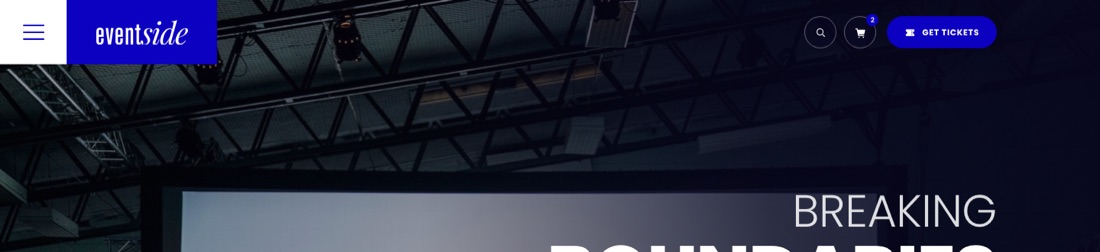
<span data-split style="--d:.3s">Breaking</span> – letters rise one by one; screen readers get the whole word.
Dark texture
<div class="fx-texture" aria-hidden="true"></div> after a hero background: slow aurora + film grain.
Marquee
data-marquee on a wrapper with a <ul> of logos. Pauses on hover and keyboard focus.
Schedule line
Automatic on every .timeline: the connector draws as you scroll and the session it reaches is highlighted.
Tilt cards
data-tilt on a grid; its article/li children tilt in 3D under the mouse.
Edge light
data-glow on the pricing grid: a light edge follows the cursor across .plan cards.
Sideways gallery
data-hscroll on a section with a .gallery: pinned while the page scrolls it sideways (≥ 992 px wide screens).
Spotlight
data-spotlight on a dark section: a soft light follows the cursor.
Site map
data-site-map around an SVG map and a list: elements with the same data-zone number light up together on hover (festival demo).
Velocity ticker
data-velocity-marquee on a wrapper; each child with data-speed="1" (negative runs the other way) holds a ul. The rows drift on their own, speed up while the page scrolls and follow the scroll direction (festival demo).
Hover reveal
data-hover-reveal on a list; each item with data-img="path.jpg" shows that photo next to the cursor (mouse only; touch screens just see the list).
Now playing
data-now-playing="2027-07-09" (first festival day) on a timetable with one tab panel per day: the set on stage right now gets .is-live, a Live badge and a progress line. Sets after midnight count as the same night. Outside the festival dates every day shows data-now-demo="21:50", so the preview always has a live set. The main home schedule uses it too (data-now-playing="2026-12-20" data-now-demo="11:20"): the live session gets a red "Live now" tag, a pulsing time and a progress line.
Confetti
data-confetti on any button fires a short burst in the theme colours when it is clicked; on a data-ajax-form it fires only once the form was sent. Off for reduced-motion users.
Audio preview
<button data-audio-preview="assets/audio/clip.m4a" aria-pressed="false"> with a [data-audio-label] span and a .eq of <i> bars. Plays a looping preview, one at a time; the bars follow the music on a web server and use a CSS animation when the page is opened as a file. Stops on Escape, when the dialog closes or slides, and when the tab is hidden.
Dot grid
data-dot-grid="26" (gap in px) on a section: a canvas of dots that light up and lean away from the cursor, with a slow idle wave. Set the dot colour with --dot-color. Static for reduced-motion users (hackathon demo).
Terminal typer
data-typer on a box of [data-line] rows: rows appear one by one when the box scrolls into view, and rows with data-cmd are typed out with a $ prompt. Decorative: mark it aria-hidden="true" and repeat the facts in text.
Scramble headings
data-scramble on a heading: it decodes from random characters when it scrolls into view. Inline markup such as <em> is kept and the accessible name never changes.
Hack clock
data-hack-clock="2027-10-15T18:00:00+02:00" data-hours="48" on a schedule; agenda items carry data-hour (hours from the start). Shows the hour, a progress bar and the time left, marks past items .is-done and the current one .is-now, and opens the tab of the current day. Outside the event it previews data-demo-hour.
RSVP seat meter
data-seats="64" data-total="80" on a card with a data-rsvp button and a [data-seats-text] line: the button toggles a free seat and updates the meter (front-end demo, nothing is sent).
Copy to clipboard
data-copy="text" on a button; an optional [data-copy-label] inside it reads “Copied” for a moment. Works on a web server and when the page is opened as a file.
List search
<input data-search-list="#list"> narrows a list whose items carry data-search-text; it works together with a category filter on the same list and shows [data-search-empty] when nothing matches. A link with data-filter-jump="category" presses that filter button before it scrolls to the list (the expo floor plan uses it).
FAQ search
<div data-faq="#input"> around [data-faq-group] sections of accordion items marked data-faq-item. Optional parts: topic links [data-faq-link] with a [data-faq-count], a [data-faq-status] line, a [data-faq-empty] message, [data-faq-term] buttons that fill in a search and a [data-faq-clear] button. Used on faq.html.
Visit plan (shortlist)
data-shortlist="id" data-shortlist-name="…" data-shortlist-meta="…" on heart buttons. Saved items are kept in the browser and listed in [data-shortlist-list], with a counter ([data-shortlist-count]), an empty note and a clear button; a data-shortlist-toggle button opens the panel named in its aria-controls. Each page keeps its own list; data-shortlist-toast="…" sets the confirmation text (the webinar demo uses it for "My agenda"). The main home schedule uses it too: a heart on every session and a "My agenda" button next to the brochure link. Sessions there carry a room tag (.timeline__room).
Local time switch
data-tz-toggle="Europe/Berlin" on a group with two buttons, data-tz="event" and data-tz="local". Every <time data-local-time datetime="2027-02-09T17:00:00+01:00"> in the same section is shown in the event or the visitor's time zone; a time that falls on another day gets a +1/−1 mark. [data-tz-name] shows the visitor's city. The choice is remembered.
Live stage mock-up
data-live-chat on the player: chat messages from template[data-chat-feed] appear one by one in [data-chat-list], [data-viewers] drifts up and down and hearts float up in [data-react-layer]. A [data-react] button sends hearts and [data-chat-form] posts the visitor's own message. It runs only while the player is on screen and stops when motion is reduced.
Poll
data-poll on a box with buttons that carry data-votes="412" and a [data-poll-pct] element, plus [data-poll-total]. One vote per visitor; the bars fill to the new percentages.
Stand calculator
data-stand-calc on a box with radio inputs (value = price per m²), a range input for the size, an optional checkbox (value = multiplier, e.g. 1.1), [data-calc-size] and [data-calc-total]. Uses the page currency. data-calc-unit=" seats" changes the text after the size (default " m²"); pricing.html uses it for team seats.
Replay button
data-replay="#target" on a button plays the split titles (data-split) and typeset quote (data-typeset) inside the target again. Used on the widgets page.
Latent map
data-latent on a box with labels li[data-cluster="0…4"]: draws points in five clusters on a canvas; the cursor (or a slow drift) links to the five nearest points and lights the nearest label. Used in the AI summit hero.
Ask the agenda
data-ask on a box with a form [data-ask-form], an input [data-ask-input], prompt buttons [data-ask-prompt], an answer line [data-ask-answer], [data-ask-reset] and a list [data-ask-list] whose items list keywords in data-ask-tags. Shows the sessions that match most words and types the answer.
Expanding panels
data-panels on a list; each item has a button. One panel is open at a time; opens on click, and on hover with a mouse.
Matchmaking
data-match on a box with toggle buttons [data-interest="energy"] and people li[data-interests="energy cities"] in [data-match-list]. People who share most interests move to the top; [data-match-count] says how many match.
Invitation type
data-invite-type="Founder" on links to a form picks that option in its select[data-invite-select].
Week planner
data-planner on a section with items li[data-plan="id"][data-day="mon"][data-start="10:00"][data-end="11:30"] holding a [data-plan-add] button, day lists ul[data-plan-day="mon"], [data-plan-count] and [data-plan-clear]. Saved in the browser; overlapping sessions are marked.
Studio slots
data-slots on a box with radio inputs [data-slot-room], time buttons [data-slot="10:20" data-taken="Video set"], [data-slot-summary] and a [data-slot-hold] button that confirms with a toast.
Invitation RSVP
data-rsvp on a box with a search form [data-rsvp-search], a reply form [data-rsvp-form] and the guest list as JSON in script[data-rsvp-list]. A name on an invitation opens the reply with one row per seat (attending and meal). [data-rsvp-try] buttons fill in a demo name.
Day flow
data-dayflow on a box with buttons [data-day="1"] and images in the same order: the pressed step shows its photo and moves the sun along the arc.
Stepped form
data-steps on a form with fieldsets [data-step] and [data-step-next] / [data-step-prev] buttons. Continue checks the required fields of the current step. textarea[data-words="250"] counts words into [data-word-count] and blocks sending while it is over.
Course map
data-course on a box with buttons [data-route] (data-km, data-gain, data-water, data-cut and data-elev = metres at each kilometre) and SVG paths [data-path]. The route draws itself, [data-stat] values update and the profile [data-elev-chart] reads out the height under the pointer.
Pace calculator
data-pace on a form with radio inputs name="pace-km" and hours, minutes and seconds inputs. Writes the pace into [data-pace-km], the start wave into [data-pace-wave] and splits into [data-pace-splits].
Screenings planner
data-screenings on a box with screenings [data-show="id"][data-day="Sat 6"][data-start="14:00"][data-end="15:44"] holding a [data-pick] button, and [data-mine-list], [data-mine-count], [data-mine-empty], [data-mine-warn] and [data-mine-clear]. Saved in the browser; overlapping screenings are named in the warning.
Stall map
data-stall-map on a box with stall buttons [data-stall="s1"][data-diet="vegan gf"], filter buttons [data-diet-filter="vegan"] (* = all) and, next to it, menu panels [data-stall-panel="s1"] whose dishes li[data-diet] are dimmed when they don’t match. Place stalls on the map with grid-area.
Tasting card
data-tasting on a box with dish buttons [data-dish][data-name][data-tokens], [data-taste-list], [data-taste-total], [data-taste-empty], [data-taste-clear] and [data-taste-best], which names the cheapest mix of token packs. Set the packs with data-packs="25:50,10:22,1:2.5" (tokens:price).
Scroll-scaled titles
data-scroll-scale on a heading: it grows into place as it scrolls into view (CSS scroll-driven animation; browsers without it, and reduced-motion users, see the title as is).
Page transitions
Browsers with cross-document View Transitions (Chrome/Edge 126+, Safari 18.2+) use them automatically; others keep the classic wipe. Needs a web server (not file://). Add data-no-transition to a link to opt out.
A small public API is available as window.Eventside (e.g. Eventside.toast('Saved!'), Eventside.menu.open(), Eventside.cart.add('keep-going', 1)).
13Forms & PHP
Every form with data-ajax-form is validated (required, e-mail, minlength, data-match) and shows an inline message that names the fields to fix; invalid fields get aria-invalid and point to the message for screen readers. While sending, the submit button shows a spinner (.is-loading). Customize texts with data-success, data-error (replaces the automatic message), data-fail (server error) and redirect with data-redirect.
The contact form posts to php/contact.php. Open the file and set $recipient to your address. By default it sends with PHP mail(). Many hosts turn mail() off or its messages land in spam, so the file can also send through your mail provider's SMTP server (no library needed): fill in the $smtp settings at the top.
Leave 'host' empty to go back to mail(). The sender address should belong to your domain or the SMTP account, and the visitor's address is set as Reply-To. When opened locally (file://) the form shows a demo success message.
Newsletter, login and register forms are front-end demos. Connect them to your newsletter provider (Mailchimp, Brevo …) or back-end by changing the action attribute.
14Shop (front-end demo)
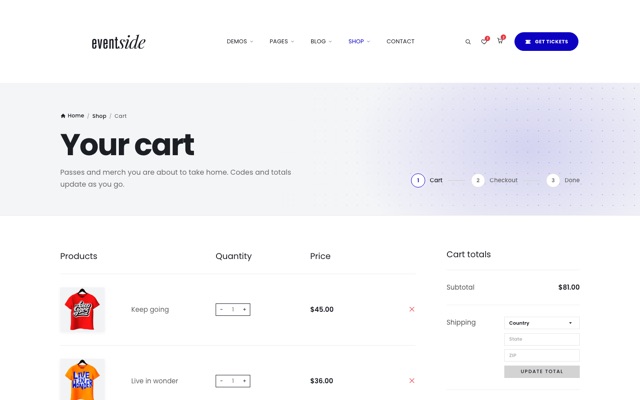
Cart, wishlist, coupon codes (EARLY = 20%, EVENTSIDE10 = 10%), checkout validation and the mini-cart work entirely in the browser with localStorage. The product catalogue is defined at the top of the shop module in assets/js/main.js (var PRODUCTS = {…}); product cards reference it with data-add-to-cart="product-id" and data-wishlist-toggle="product-id".
Each shop item opens its own page: product-details.html?p=product-id. The page reads the item from PRODUCTS and fills in the title, price, short text, options, gallery, SKU, event, tags, description, specifications and review, so one file serves every product. Shop items carry the extra fields cat, event, sku, ref, desc, about, specs, options, colors (a swatch per colour with its photo), gallery, tags and review. To add a product, copy an entry, give it a new id and photos, and link to it with ?p= your id. Without ?p the page shows its own markup (the Breaking Boundaries T-shirt). Gallery photos are 1000×1120, shop cards 740×960.
Prices show a dollar sign by default. To use another currency on a page, add it to the <html> tag, for example <html lang="en" data-currency="€"> (the expo demo does this); the cart, mini-cart and stand calculator pick it up.
This is a static template: no real payments or user accounts are processed. Integrate a back-end (WooCommerce, Shopify Buy Button, Snipcart, Stripe Checkout …) for a live store.
15Map
The contact page is privacy-friendly: a light, original city-map illustration (assets/img/misc/city-map.svg) is shown first, and the live map only loads when the visitor clicks Load interactive map – no third-party request before consent, no API key. Set your own location in data-map-src on .map-sec__map (any Google Maps / OpenStreetMap embed URL) and update the “View larger map / Direction” links (mlat, mlon).
16SEO & going live
Every page ships with a unique <title> and meta description, Open Graph and Twitter card tags, one <h1>, alt text on every image, a favicon set (favicon.svg, favicon-32.png, apple-touch-icon.png) and a web app manifest (site.webmanifest). Before you publish:
Domain: replace https://example.com/ in robots.txt and sitemap.xml with your own domain, and remove the demo pages you do not use from the sitemap.
Share image: social networks need absolute URLs. Change og:image to the full address, e.g. https://yourdomain.com/assets/img/og-image.jpg (1200 × 630). Optionally add <link rel="canonical" href="…"> with each page's final URL.
Event data: the home demos and event-single.html contain schema.org Event data (<script type="application/ld+json"> in the <head>). Update the name, dates, place and ticket URL so Google can show your event in search results. Check it with Google's Rich Results Test.
Private pages: 404, cart, checkout, order complete, account, wishlist and login carry <meta name="robots" content="noindex, follow">; keep it.
Analytics: the template contains no tracking code. Paste your provider's snippet (Google Analytics, Plausible, Fathom …) just before </head> on every page. Tracking that sets cookies should only start after the visitor accepts the cookie banner: listen for the eventside:consent event, whose detail.analytics is true once the visitor allows analytics:
<script>
document.addEventListener('eventside:consent', function (e) {
  if (e.detail.analytics) { /* start your analytics here */ }
});
</script>
17Quality checks
These are the checks the template went through before release. Run the same ones on your own pages after you edit them.
HTML: every page was checked for unclosed or misnested tags, duplicate ids, labels and ARIA attributes that point to a missing id, list and paragraph content rules and images without alt text – no issues. Before you publish, run your edited pages through the W3C Nu HTML Checker.
CSS: one hand-written stylesheet built on tokens, plus a small one per home demo so each page loads only what it uses; the .min.css files are generated with perl tools/minify-css.pl, so edit the source files and rebuild.
JavaScript: the pages load main.min.js, generated from the commented main.js with perl tools/minify-js.pl. Edit main.js and rebuild. (If you prefer, change the script tag to main.js and skip the build.)
The tools/ scripts are optional helpers; the site never needs them to run. They use Perl, which comes with macOS and Linux. On Windows install Strawberry Perl first, or edit the files by hand.
JavaScript: all scripts run in strict mode, have no dependencies and load with no console errors on all 46 pages, the documentation and the landing page.
Layout: no sideways scrolling on any page at 320px wide; the pages were reviewed at phone, tablet and desktop widths.
Contrast: text colours were measured against their backgrounds in light and dark mode.
Motion: every animation has a reduced-motion fallback, and the switcher can turn animations off.
18Browser support
Latest Chrome, Edge, Firefox, Safari (macOS & iOS) and Chrome for Android.
19Credits & licenses
Fonts: Poppins, Roboto, Oswald, Nunito, Playfair Display, Anton, Space Grotesk, JetBrains Mono, Fraunces, Inter Tight, Plus Jakarta Sans, Geist, Geist Mono, Instrument Serif, Hanken Grotesk, Bricolage Grotesque, Unbounded, Cormorant Garamond, Manrope, Source Serif 4, Public Sans, Big Shoulders Display, Inter, IBM Plex Sans, Playfair Display SC, DM Sans – Google Fonts, SIL Open Font License.
Icons, logo, sponsor & payment marks, illustrations-free UI graphics: original artwork made for Eventside. Sponsor names are fictional.
Photos: Unsplash (Unsplash License). Every photo, its photographer and its source link are listed in assets/img/CREDITS.txt. The photos are shown in the live preview only. In the download each one is a neutral placeholder with the same file name and size, so every layout stays intact until you add your own. Large page headers also ship a -w2560 size for high-density screens.
Videos: the online-meeting clip (main demo, event detail) is by cottonbro studio on Pexels, the festival aftermovie clip by Milan Kiro on Pexels (both Pexels License). The artist previews in assets/audio/ were synthesised for Eventside. Replace them with media you have the rights to. The download leaves the background videos out: their <source> lines are kept as comments in index.html, index-3.html and event-detail.html, ready for your own clips in assets/video/.